Let’s buildthe future together.
Great ideas need great people. Partner with us to bring your vision to life, or take the first step in your career by joining our team of innovators.



Receive new articles delivered Straight to your inbox
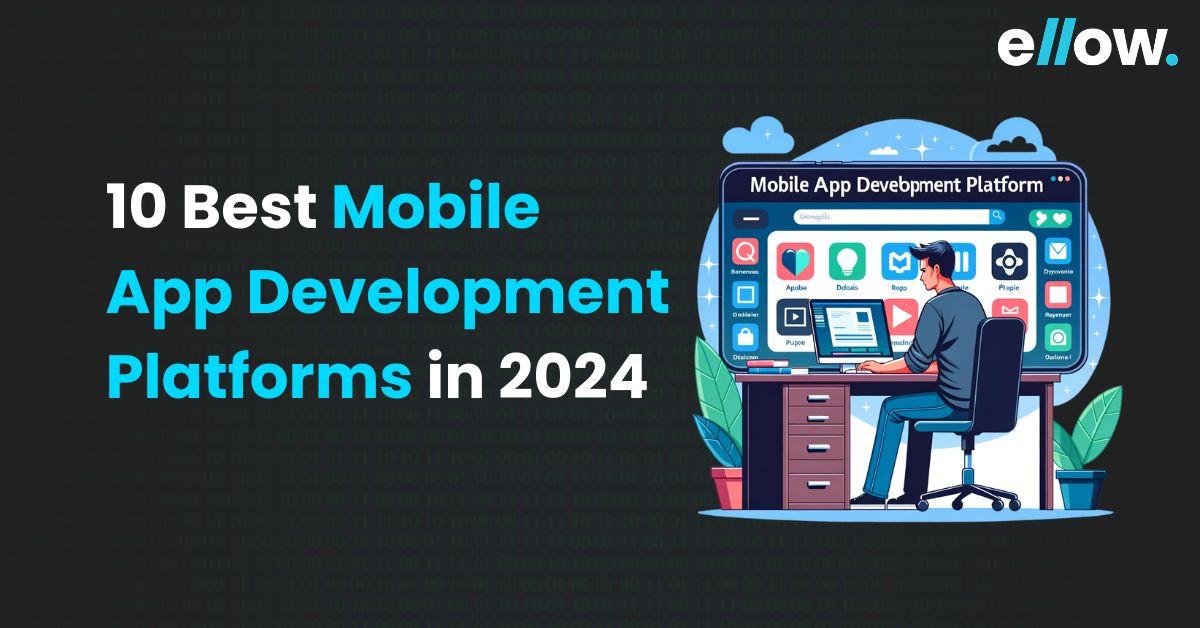
Mobile devices have become a dominant part of our daily lives. We use mobile apps for everything from communication and entertainment to ordering groceries and various daily tasks.
According to Statista, by 2027, mobile apps are expected to witness substantial revenue growth. Notably, the mobile gaming industry is a standout, boasting the highest value of 352.1 million U.S. dollars.
Considering the intense competition in the mobile app industry, selecting the right platform is pivotal for business success. These platforms, with their advanced technology, empower both developers and non-developers to create user-friendly apps for fitness tracking, food ordering, and gaming. We will explore the top 10 mobile app development platforms renowned for their features, scalability, and adaptability.
Mobile application development platforms are like special toolkits for creating apps for your smartphone. They help developers build apps for different platforms like Apple and Android devices. They help with designing, building, and testing mobile apps. It’s like having a shortcut to create apps without starting from scratch.
Using a mobile app development platform can save a lot of time. They provide pre-made functions, user interface components, libraries, and code snippets that developers can use. This means they don’t have to create everything from scratch, which is great for both beginners and experienced developers.
Most of these platforms allow developers to make apps that work on both Apple and Android phones without writing separate code. They have features like drag-and-drop tools, easy access to other software, visual editors, and testing tools to speed up the app creation. Some popular mobile development platforms are React Native, Xamarin, and Flutter.
Flutter is used for building apps that work on Android, Windows, iOS, and the web, all from a single set of codebase. It is open-source and developed by Google using Dart. Flutter’s toolbox has widgets that are building blocks for your app’s interface.
Features:
React Native is an open-source platform developed by Meta that helps them create apps for Android, iOS, and the web. It uses JavaScript and the React library, which are like the building blocks for creating and testing these apps. It allows developers to create mobile apps quickly and easily. It’s similar to using the same CSS, but it doesn’t directly employ HTML or CSS.
Instead, it interacts with the native views of your device through JavaScript messages. This means it can make your app look and feel just like a native app, even though it is written in JavaScript. Big companies like Skype, Airbnb, and Amazon Prime have used React Native to create their apps. It’s a powerful tool trusted by some of the best in the business.
Features:
Xamarin, owned by Microsoft, is a fantastic tool for developing Android apps. It is open-source and cross-platform, meaning you can use it to create apps that work on Android, iOS, and Windows devices. It relies on C# and .NET, making it easy for developers who are familiar with these technologies. There are a lot of tools to create, test, debug, and deploy apps, and can be integrated with cloud services like Microsoft Azure. Xamarin allows developers to share their code between Windows and macOS, which saves time and effort.
Features:
NativeScript is an open-source mobile app development platform created by Progress. It’s a great way to build native mobile apps, and it is designed to make the process easier for developers. NativeScript depends on web technologies like CSS, JavaScript, Angular, TypeScript, and Vue.js.
These tools allow developers to create mobile applications that run smoothly on both iOS and Android devices.
Its user-friendly Graphical User Interface (GUI), NativeScript Sidekick makes it easy to manage tasks and streamline app development workflow. When you create the user interfaces for the mobile apps, NativeScript uses XML files. This approach helps to design your app’s look and feel in a way that is independent of the specific mobile platform it will run on.
NativeScript allows you to create the logic for your application without worrying about the target platform. This means you can write code that works on both iOS and Android using technologies like Angularjs and TypeScript.
Features:
Apache Cordova is an open-source platform that is used for creating mobile apps that can work on different types of smartphones. To create mobile apps with Cordova, there are three web technologies that we use: HTML5, CSS3, and JavaScript. Cordova uses these technologies to create apps that can run on Android, Windows, and iOS devices. Cordova offers plugins.
For example, you can use a camera plugin to take pictures in your app or a GPS plugin to find your location. This way, your app can feel like a native app, which means it works smoothly and seamlessly on the phone.
Features:
Unity is a popular game development platform that helps people create amazing 2D, 3D, and augmented reality (AR) experiences. It offers a wide range of tools and features. Pokemon, Angrybirds2, Temple Run 2, Assassin’s Creed Identity, etc., are some of the apps that use Unity.
Features:
Sencha Ext JS is a toolbox for creating apps. It works for both mobile and web applications, and it is based on JavaScript. It comes with lots of other features that can be used, like buttons, grids, calendars, and more. These features make your app look good and work seamlessly. You can also change how your app looks by tweaking the CSS and scripts. Sencha also gives you a handy tool called Sencha Architect. It is a shortcut for creating apps faster.
Features:
Adobe PhoneGap was originally developed by Adobe and is currently maintained by Apache. It is a popular platform frequently used in Android app development. One of its primary advantages is its ability to create a single app that functions on various mobile devices. It is an open-source desktop application that allows you to connect your apps to mobile devices seamlessly.
Features:
Mobile Angular UI is a user-friendly framework that helps developers build mobile web applications with ease. It is designed to simplify the development process and make it more accessible to those who want to create responsive, mobile-friendly web apps.
Features:
Swiftic is a great platform for creating iOS apps, making it easy for anyone to create their own app. It is user-friendly and offers a smooth interface. You get unlimited push notifications to engage with your users effectively. It gives you access to advanced analytics to understand your app’s performance, and it helps make your app look attractive.
Swiftic also offers a variety of templates and UX/navigation styles, allowing you to customize your app to your liking. You can choose different colors, background pictures, and building blocks to create a unique app.
Features:
Here is a breakdown of key factors to help you make the right choice:
Ensure the platform works for both Android and iOS, as these are the go-to operating systems for mobile devices. You want to expand your audience.
Pick a platform that makes designing your app’s look and feel a breeze. Drag-and-drop interfaces are a plus, making it easier for your team to create a great user experience.
Consider the programming language the platform supports. It should match your team’s skills and comfort levels to avoid steep learning curves.
Identify the features your app needs, like push notifications or in-app purchases, and choose a platform that can deliver them.
Opt for a user-friendly platform. You don’t want to waste time wrestling with a complex system. It should be a tool that developers at all levels can dive into quickly.
Think about the future. Your platform should handle your app’s growth and offer customization options to meet your unique needs.
Your app may need to work with other services or tools. Look for a platform that allows seamless integration with third-party options like databases or payment gateways.
Security is paramount. Ensure your platform has robust security features like data encryption and secure login options to safeguard your app and user data from potential threats.
Be mindful of costs. Evaluate different platforms based on pricing plans that fit your budget, considering both short-term and long-term expenses.
Good support is crucial. Your chosen platform should offer prompt bug fixes, updates, and learning resources to keep your app performing at its best in the long run.
| Platform | Programming Language | Price | Cross-platform Deployment |
| Flutter | C, C++ | Free | iOS, Android, Web (in beta) |
| React Native | Java, Swift, Objective-C | Free | iOS, Android |
| Xamarin | C# | $25/mo | Android, iOS, Windows Platforms |
| NativeScript | JavaScript, TypeScript | $19/mo | iOS, Android |
| Apache Cordova | HTML, CSS, JavaScript | Free or subscription | iOS, Android, Various Others |
| Unity | C# | Free | iOS, Android, PC, Mac, Xbox, PS |
| Sencha | HTML, CSS, JavaScript | Various (Free to $2499/yr) | Android, iOS, Kindle, BlackBerry, Bada |
| Adobe PhoneGap | HTML, CSS, JavaScript | Various (Free to $90/mo) | iPhone, Android, Various Others |
| Mobile Angular UI | HTML, CSS, JavaScript | Free | Mobile, Web |
| Swiftic | JavaScript | $57/mo, $576/yr | iOS (iPad, iPhone, iPod Touch) |
One of the standout advantages of mobile app development platforms is their ability to streamline the development process. These platforms come equipped with pre-configured environments, reducing the time it takes to build and launch your app. This means you can reach your target audience faster.
Developing an app from scratch can be a costly endeavor. Mobile app development platforms cut costs by providing a ready-made environment for development. This helps businesses, particularly small ones, save on development expenses, making it a financially sound choice.
Not everyone is a coding wizard, and that’s where these platforms shine. Many of them require little to no coding experience, making them accessible to individuals and small businesses without a background in programming. This democratizes app development and opens doors to a wider range of creators.
Mobile app platforms empower developers to create apps that run on multiple operating systems using a single code base. This means you can expand your reach across various platforms with ease, broadening your app’s accessibility.
Check this video out: What’s the best cross-platform technology in 2023
Modern app development platforms come with built-in analytics tools. These tools simplify the process of tracking end-user engagement. You can gather valuable insights to refine your app over time, enhancing the user experience and overall functionality.
Building highly interactive and engaging apps becomes a breeze with mobile app development platforms. You can incorporate features like push notifications, in-app purchases, and social media sharing, all of which keep your users captivated and coming back for more.
The task of updating and maintaining an app is significantly simplified with mobile app platforms. They support version control, allowing you to manage updates and patches seamlessly. You can swiftly address user-reported issues and implement real-time feature updates based on user feedback.
When it comes to mobile app development, there are various platforms at the disposal to make the process smoother. These platforms come with unique features, each tailored to different types of projects. To make the right choice, you must carefully assess your project’s requirements, ensuring the chosen platform aligns with your goals and vision.
However, the journey doesn’t end once you’ve created and published your app on the Google Play Store or Apple Store. App development is an ongoing process. You will need to continually maintain your app, fixing any bugs that crop up post-production and integrating new features to keep it competitive. Regularly deploying new versions of your app is essential for staying up-to-date and offering the best user experience.
Whether you opt for a no-code platform, a native development approach, or a cross-platform solution, be certain that it caters to all the functionalities you aim to incorporate into your application.
App Development Best Practices: Latest Trends
15 Best Front-End Technologies To Use In 2024
13 Types of Software Development
The “best” platform for Android development depends on your specific project and requirements. Some popular choices include Android Studio, Kotlin, and Flutter for cross-platform development. It’s essential to evaluate your project’s needs and your development expertise to make an informed decision.
Just like with Android, the “best” iOS development platform depends on your project and expertise. For native iOS development, Xcode and Swift are commonly used. For cross-platform development, consider tools like Flutter, React Native, or Xamarin, depending on your specific requirements.
Several cross-platform development platforms are available, each with its strengths. Some popular options are Flutter, React Native, Xamarin, and PhoneGap. The choice depends on factors such as the complexity of your app, the need for a single codebase, and your team’s familiarity with the platform.
The number of apps you can build with an app builder platform varies based on the platform’s terms and pricing. Some app builder platforms offer limited access for free or a fixed number of apps for a subscription. Be sure to review the platform’s policies and pricing to determine the specific limits for your chosen plan.
Mobile Application Development Platforms (MADPs) can be categorized into three main types:
1. Low-Code MADPs: These platforms require minimal coding and are suitable for rapid app development.
2. No-Code MADPs: These platforms allow app development without any coding, making them accessible to non-developers.
3. Full-Code MADPs: These platforms offer complete control over the code and are ideal for developers who want more flexibility in app creation.

How AI Reduces Time-to-Hire Without Compromising Quality

Top 5 Benefits of Working with an AI-Native Recruitment Agency as Business Owner

The Future of Hiring: AI Meets Human Expertise
Please feel free to share your thoughts and we can discuss it over a cup of tea.
Get a quote
The Future of Hiring: AI Meets Human Expertise
Six Things to Consider When Hiring Remote Talent
ellow.io enters remote hires market with AI-based screening process
